Navigating through the course
Welcome to your course environment! To help you get the most out of this experience, here’s a quick guide on how to move through each section with ease.
At the top of your screen, you’ll find the title of the course.
- On the buttom left side, you can click the column button to collapse or expand the sidebar.
- On the upper right side, the Quit text allows you to exit the course interface at any time. Your course progress will be safed and you can always pick up the course right from your user dashboard.
The sidebar on the left runs the full height of your screen and show you an overview of the entire course: all chapters, lessons and quizzes. Use this to track your progress and jump between sections, but remember: you need to complete every part to finish the course and earn your certificate!
You will also find a ‘More’ button to get to the resources, Q&A, certificate progress, assigments and more.
At the bottom of each lesson, you’ll see a navigation bar with two buttons:
- Previous – Takes you back to the lesson or quiz before this on.
- Next – marks the current lesson as complete and moves you forward.
If the button is there, you’ll see a button in the middle that says ‘Complete this lesson‘. You need to click that button to mark the lesson complete. The course will not do this automatically, in order to allow you to go back and forth between lessons.
How to complete the final exam
At the end of each chapter, you’ll find a quiz to test your knowledge.
- Click ‘Start quiz‘ to begin.
- Questions may be true/false, multiple choice, fill in the blank, short answer, image answering, matching, ordering or open-ended.
- Read the instructions carefully for each question, then submit your answer and click the ‘Submit‘ button to move on to the next question.
- At the end, click ‘Submit quiz‘ to finish.
After submitting, you’ll find an overview of your score and can check details to see which question tou answered correctly.. or incorrectly.
You’ll need a score of 70% or higher to pass each quiz. Don’t worry, you have up to 5 attempts for each one, so take your time and review the lessons carefully before retrying.
At the end of the course
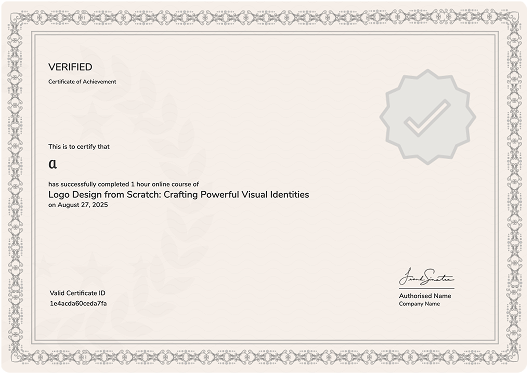
Once you complete all lessons and the final exam, you’ll receive a message letting you know if you’ve passed. If you did, congratulations! You’ve earned your personalized certificate, which you can download anytime from your eLearning dashboard or on the course page.
Let’s get started! And remember, learning at The Hedgehog Program is all about curiosity, care and confidence. You’ve got this!